Trade smarter,
not harder.
Start trading smarter.
Join thousands of traders getting institutional-grade signals across Gold, Forex, Crypto and Indices — straight to your phone.
NICROTRADE
Real signals. Real results.
NicroTrade delivers institutional-grade trading signals across four asset classes — pushed to your phone with full performance transparency.
Trade smarter.
Not harder.
NicroTrade delivers institutional-grade signals across Gold, Forex, Crypto and Indices — straight to your phone in real time, with full performance transparency and zero noise.
Trade what moves the world.
Every NicroTrade signal is built around a single asset class — so the strategy fits the instrument, not the other way round.
Gold Signals
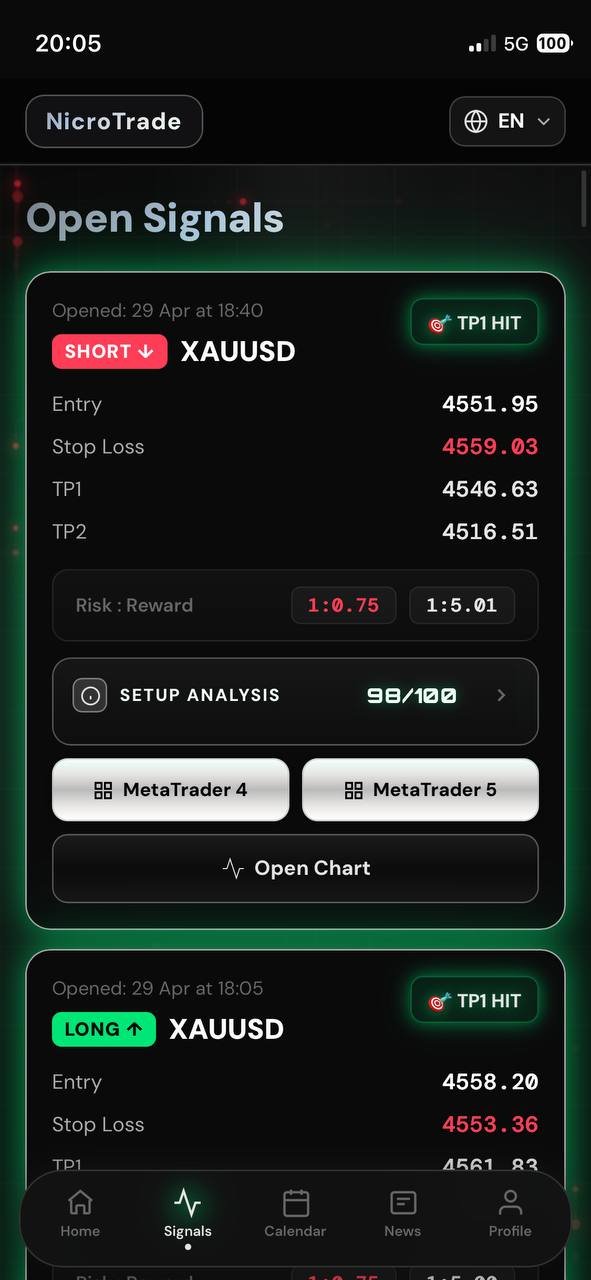
Our flagship market. Trend-following entries on the world's safe haven, with staged TP1/TP2/TP3 targets and ATR-based stops.
- Real-time XAU/USD entries
- News blackout 13:00–15:00 CET
- Staged take-profit progression
Forex Signals
Major and minor pairs. EMA-confirmed trend setups during London & New York sessions only.
- EUR, GBP, USD, JPY pairs
- Session-aware filtering
- Auto-stop on macro events
Crypto Signals
Bitcoin, Ethereum and top altcoins. 24/7 monitoring via Binance live feed — no weekends off.
- BTC, ETH, SOL, XRP and more
- Volatility-adjusted sizing
- Live WebSocket pricing
Index Signals
Major global indices including GER40, US30 and US500. Built around macro flow and session opens.
- GER40, US30, US500, NAS100
- Macro-aware execution
- Session-bound entries
Everything you need.
Nothing you don't.
From entry alerts to community chat, NicroTrade replaces five subscriptions with one app — built mobile-first, with a desktop experience that follows.
Real-Time Push Alerts
Every signal arrives as a push notification the moment it's generated. No reloading, no email lag — alerts hit your lock screen in under a second.
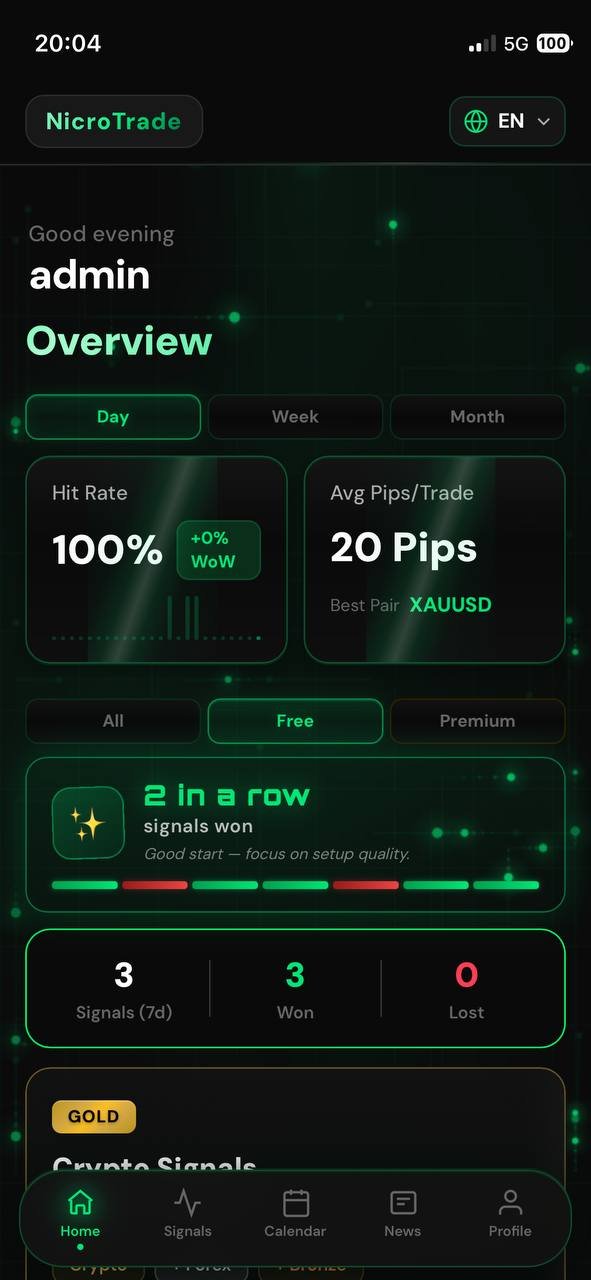
Every signal — open or closed — is tracked. No deletions, no edits. Performance dashboards in the app show win rate, average pips, best pair and 7/30-day breakdowns. Transparency is the product.
Trading Journal
Log every trade with screenshots, mistakes and lessons. Filter by pair, by setup, by month — see your patterns, fix your leaks.
Watchlist & Alerts
Pin the pairs you actually trade. Custom price alerts, percentage moves, session opens — your setup, your alarms.
Trading Academy
Lessons on risk management, position sizing, market structure and psychology. Built in-house — practical, not theoretical.
Live Community Chat
Talk to other NicroTrade traders in real time. Ask questions, share charts, get a second opinion before you click the button. Powered by Supabase Realtime — instant message delivery worldwide.
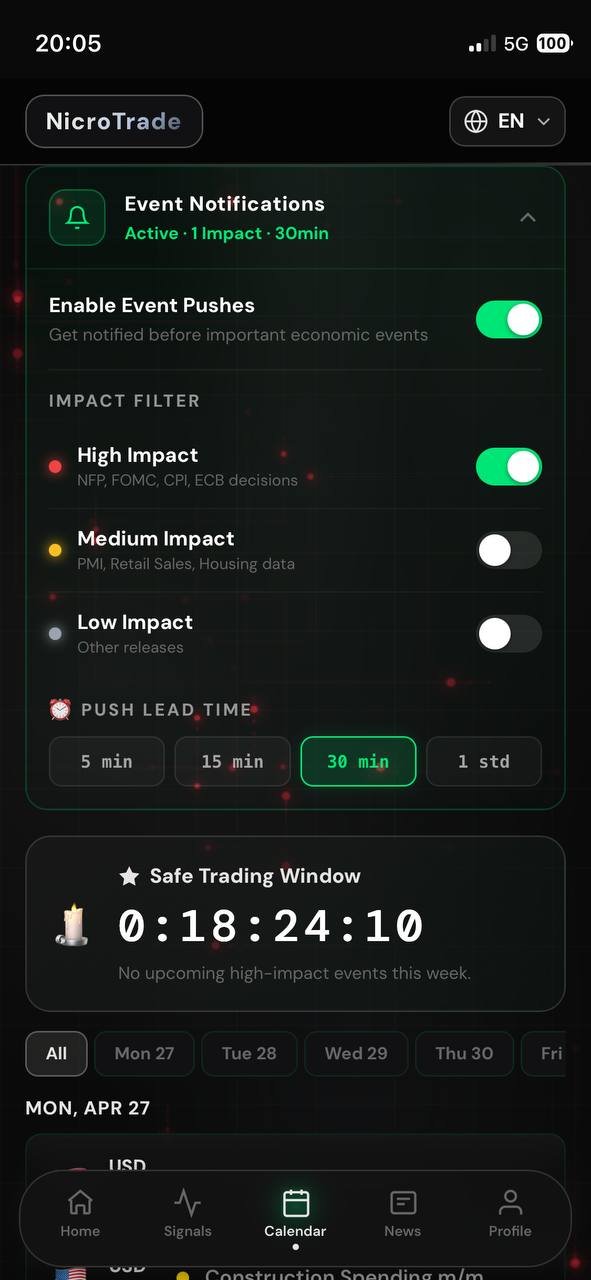
Economic Calendar & Event Alerts
NFP, FOMC, CPI, ECB decisions — filtered by impact level. Get push notifications before high-impact events so you're never caught flat-footed.
Position Calculator
Lot size for any account balance, risk percentage, stop distance. Built into every signal — one tap to size correctly.
Streaks & Achievements
Discipline tracker built into the app. Win streaks, loss streaks, smart tips when you're tilting — gamified accountability.
TradingView Charts
Every signal opens directly in TradingView with the entry, SL and TP plotted. Or copy data straight to MetaTrader 4/5 with one tap.
Four steps to your first signal.
No installation through app stores. No verification queue. No credit card to start.
Open the App
Visit nicrotrade.app from any device. Add to home screen — works as a native app on iOS & Android.
Enable Push
Allow notifications when prompted. That's how signals reach you in real time, even when the app is closed.
Pick Your Tier
Start free with Gold signals only. Upgrade anytime to unlock Forex, Crypto, Indices and premium features.
Trade Smarter
Open every signal in your broker with one tap. MetaTrader 4/5 deep-link or TradingView chart — your choice.
Designed like an app you'll use.
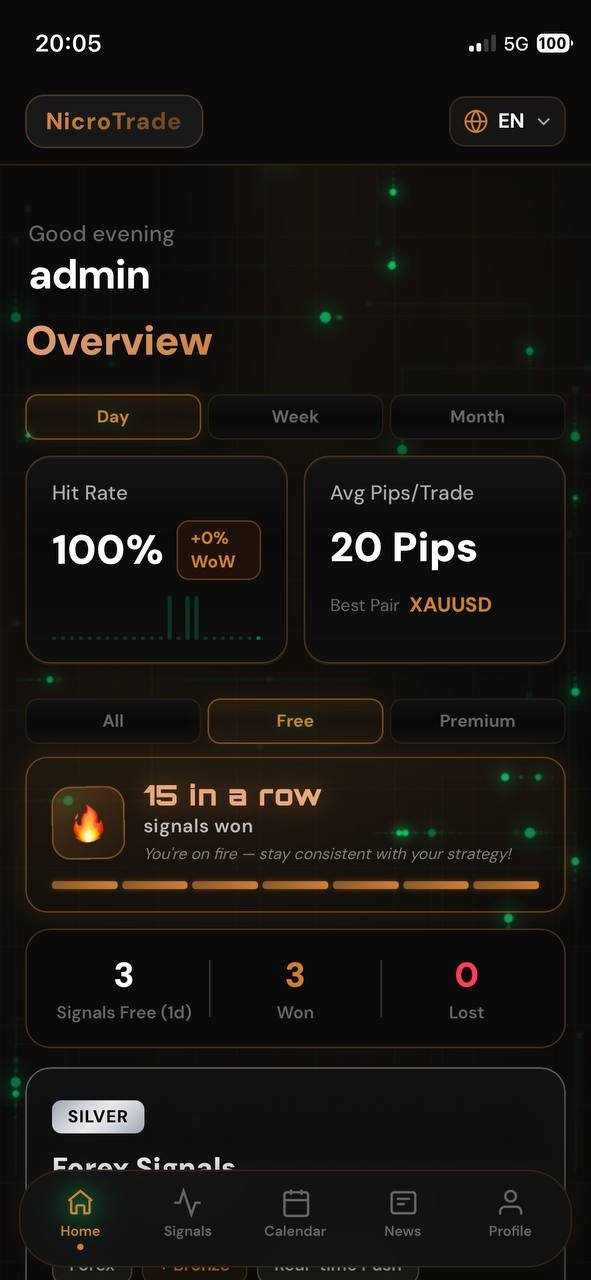
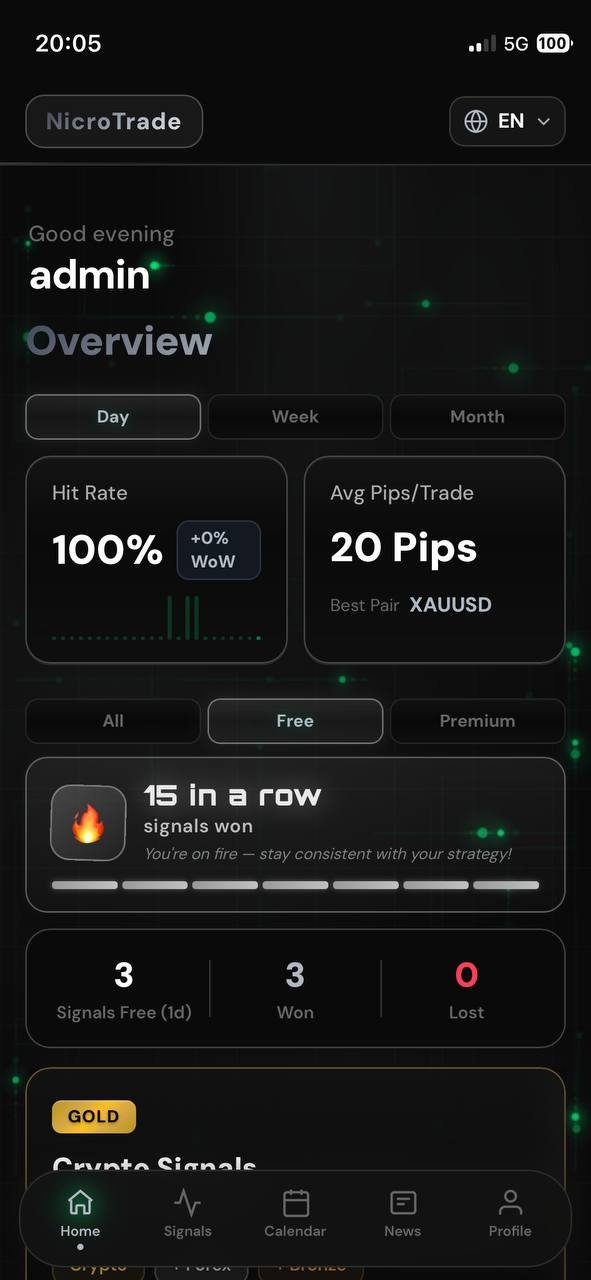
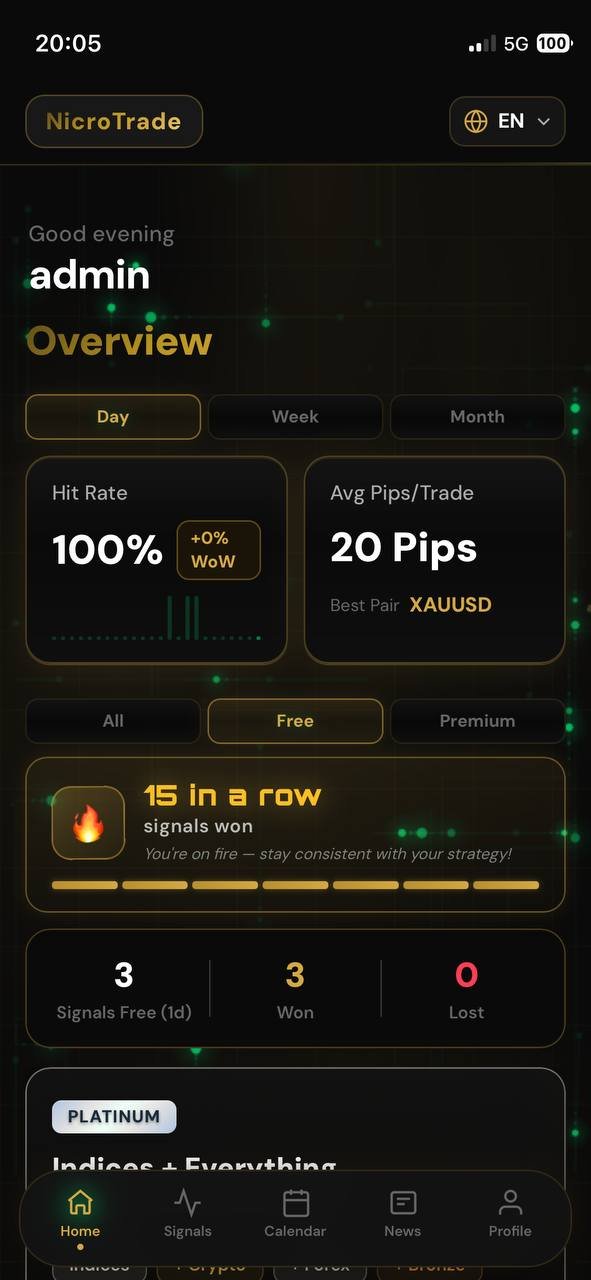
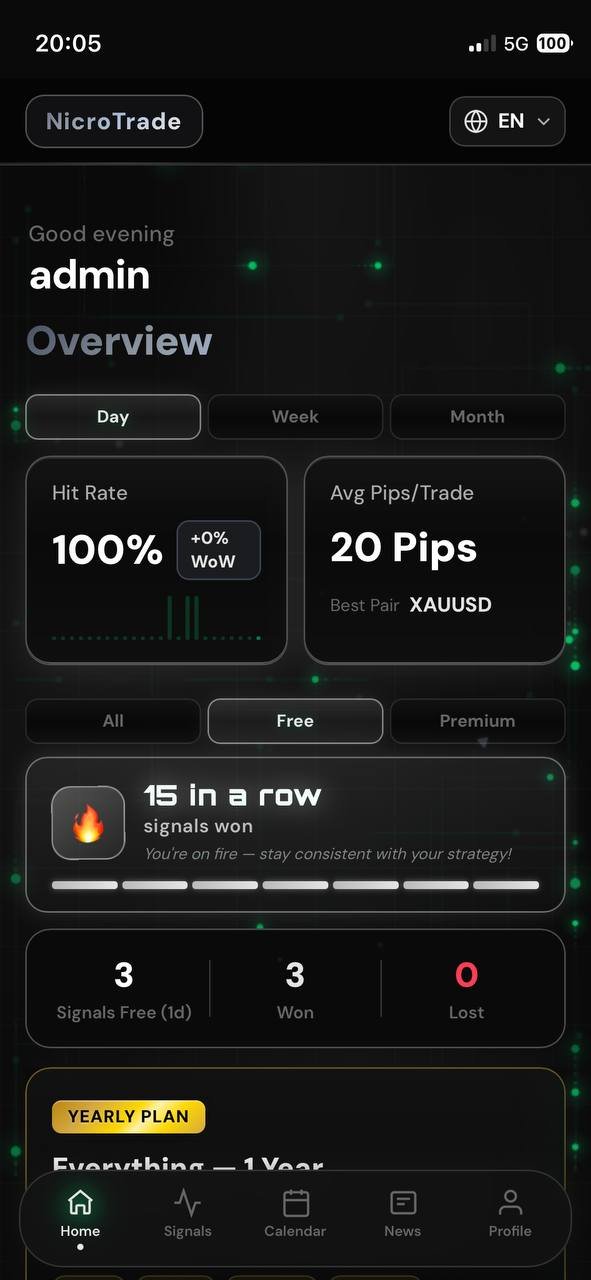
Mobile-first. Dark by default. Themed per tier. Every screen built around speed and clarity.
The app levels up with you.
Every tier comes with its own visual identity. The interface evolves as you upgrade — from clean Default Green all the way to Platinum White.
Start free.
Upgrade when ready.
Five tiers, one app. Each tier unlocks more markets and premium features. Cancel anytime — you keep access until the end of the period.
Starter
Free forever. Test the app and the signal flow.
- Selected free Gold signals
- Market overview
- News feed
- Community chat (read)
- Premium signals
- Forex / Crypto / Indices
Gold Premium
All XAUUSD signals — the bread and butter.
- All Gold & Premium signals
- Real-time push alerts
- Trading journal
- Position calculator
- Chat (read & write)
- Forex / Crypto / Indices
+ Forex
Bronze plus all Forex pairs included.
- Everything in Bronze
- All Forex signals
- Major + minor pairs
- Session-aware filtering
- Watchlist alerts
- Crypto / Indices
+ Crypto
Add 24/7 crypto coverage to the stack.
- Everything in Silver
- BTC, ETH, SOL, XRP signals
- Live Binance feed
- Weekend coverage
- Volatility-adjusted sizing
- Indices
Everything
Every market, every feature, every signal.
- Everything in Gold
- Index signals (DAX, US30…)
- Trading academy
- Priority support
- Advanced TA tools
- Early access to new features
🏆 Yearly — Everything Included
12 months of full access · over 50% savings · ≈ €25/month equivalent
Built with the community in mind.
Feedback from early NicroTrade users — across Gold, Forex and Crypto desks.
The push notifications are properly fast. I get the signal before I see it on my chart. The staged TP system has changed how I take profit on Gold.
Honest performance numbers, no hype, no "90% win rate" nonsense. I can see the losers right next to the winners and that's exactly what I want from a signal app.
The community chat is what keeps me on the platform. Quick second opinion on a setup, before I size in. Worth the subscription on its own.
Questions, answered.
Is NicroTrade free to start?
Do I need a broker account?
Which markets are covered?
How fast do signals arrive?
Can I cancel anytime?
Do you guarantee profits?
Is NicroTrade a broker?
Which languages are supported?
Your next signal is one tap away.
Open NicroTrade in your browser, allow push, and you'll receive your first signal as soon as the next setup forms.